Filming with a Smartphone
Ever needed to film yourself or other people using your phone?
Luckily for you, we have tips and tricks to help ensure your finished video has high-quality visuals and audio.
What You'll Need
- A smartphone with a good camera and microphone
- A way of securing the smartphone for stability
Find a Suitable Space
Filming inside is always the best option as it allows you to have more control over your environment (e.g. no rain, wind or bright sunshine!).
Positioning yourself in front of a simple background is usually a good idea. If you’re using a plain wall, make sure there’s a few feet of distance between you and the background.
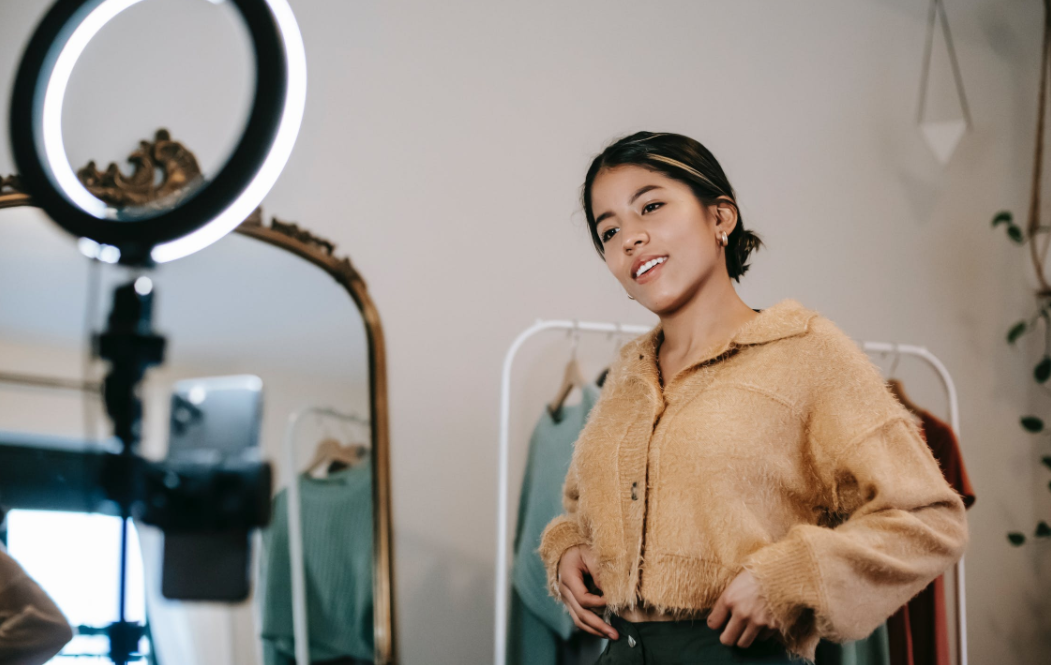
‘Flat’ lighting is also very important. Natural light is the best as it usually helps to avoid harsh shadows on you or your background. Making sure you face the light usually helps reduce this, so try and directly face a window while filming.

Tips for Good Audio
Having decent audio is essential for a high-quality finished product.
Clapping your hands in different rooms and picking the room with the least echo is the best way to do this.
Take a second to listen if there’s anything that’ll interfere with you being heard - such as heating/ventilation, background music, side conversations or outdoor traffic.

Brightness and Exposure
Variable brightness due to lighting changes isn’t ideal.
It’s actually quite easy to lock your exposure on a smartphone such as an iPhone.
Tap and hold on your subject to set the focus and exposure until you see the yellow bounding box bounce and the text “AE/AF LOCK” appear. You can also now manually adjust your scene exposure by dragging your finger up (to increase brightness) and down (to darken the image).
Tips for Good Video Footage
- Make sure the subject (i.e. you or whoever you’re filming) is in a comfortable position, not hunched over or looking up or down towards the camera/phone
- The phone and the person holding the phone should be completely still when recording but ideally use a mini tripod or prop it up on something
- Look directly at the tiny camera lens (ideally in landscape format, not vertical)
- Try to avoid showing outstretched arms if you have to hold your phone
- Frame yourself so you’re not too far away or too close to your phone camera
- Don’t write or type out your script to read (this will make your eyes look very unnatural!)

Record a Test Clip by Yourself First
To check everything above, record it then watch it back with your earphones in. Ideally you’ll look well-lit without any shadows or harsh light on your face. If not, move yourself or your subject somewhere more suitable.
Hopefully your voice sounds ‘full’, without too much bass or treble, but if you sound quite ‘roomy’ or echoey, move to a more suitable space.
Finally, check yourself in the mirror before you film. If your face or head is ‘shiny’, wipe it with a paper towel (or use make up if necessary).
Summary
- ALWAYS film in landscape format
- Ensure good lighting, always face a window or an artificial light source and don’t have the subject placed with their back to the window (or you’ll be a silhouette!)
- Set your phone to airplane mode so you don’t have any interruptions
- Ensure some distance between the subject and the background
- Ensure the shot is as steady as possible, supporting your phone securely if you don’t have a tripod
- Sound is critical so ensure you’re are in a quiet area - check for echo or loud air conditioning as well as the flow of people around you who may talk and obscure your sound for example. If outside, check for wind noise on the recording. You may not hear it but the microphone may well do and can ruin your audio. Always ensure consistency of sound between your shots
- Speak clearly and keep eye contact with the camera for the entire time
- Leave a short pause, look at the camera lens for a second then start to talk and hold your gaze for a second after you finish talking and press stop
- Check your appearance and use make-up or wipe their face with a tissue to avoid any ‘shine’ on your face
Get in Touch
We love to deliver impressive, creative and high-quality video content that hits the mark. Check out our portfolio to view some of our work for satisfied clients.
Another nice thing is that all our account managers are also producers and directors. So we give the kind of insight and experience that you’re looking for.
Give us a call or drop us an email, let’s chat.
Share this post:
Recent posts