Top Tips on Making a Cloudy Day Look Sunny

May 24, 2021

We’ve all been there. Best laid plans for a weekend picnic ruined, not packing a raincoat for a weekend away, optimistically lathering on sun cream in hope of a scorcher.


Cloudy and wet days catch us all out but working in video means we’re super agile when confronted with these challenges and have a few tricks up our sleeves. Below is a list of our top 5 tips to faking your cloudy day and making it look like the peak of summer!

Lights


This is by far the most important and expensive tip but having some powerful daylight-temperature lights is a really effective step in bodging your overcast footage. 


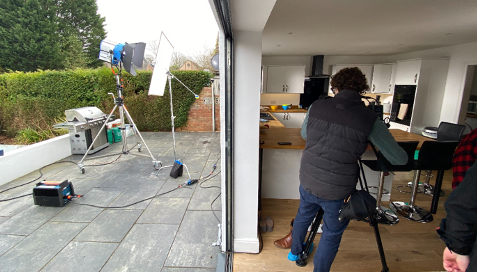
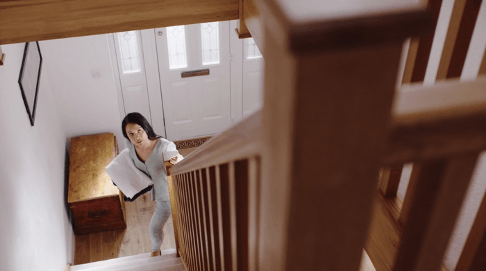
Recently, we teamed up with Thames Water for their new campaign promoting water efficiency. On the shoot, we were presented with typical March weather in England. Luckily, we anticipated this and rented 2 Arri 2.5kw lights. Blasting these lights through a window and front door made for some excellent daylight mockery, especially after seeing the footage graded, which brings us to our next tip!
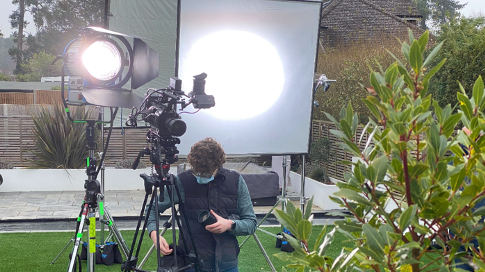
A man is standing in front of a camera on a tripod.
A woman is walking down a set of stairs holding a piece of paper.
A man is standing in front of a camera in a kitchen.
A man and a girl are washing dishes in a kitchen sink.

Grading


One of the most powerful tools in a video editor’s arsenal is colour grading. With your gloomy winter’s day footage, using a warm colour temperature and bumping up the contrast and saturation will give your footage a much more warm glow and really hammer home those summer vibes.
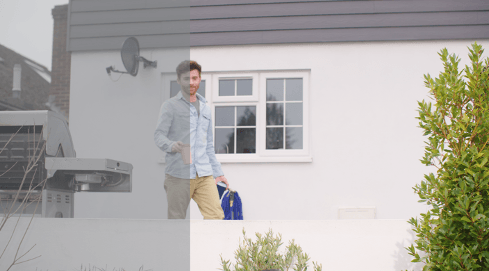

A man is standing in front of a white house holding a blue bag.
A person is walking on a sidewalk next to a pool.

Faking Skies


This one is a little more advanced and potentially more time consuming, but a very simple way to convince your audience that you shot in an entirely different season.


The “we’ll fix it in post” classic is often overused but this is a case where it could work really well. If you’ve got a wide shot where you simply can’t frame out the sky, then consider cutting around your overcast sky to replace it with one that’s more desirable! Note that this is much easier and faster technique to accomplish when your shot is stationary. 


For an awesome before and after – see the top image in this article.


Lens Flares


Tracking in a lens flare on a reflective surface or where your sun would be will give an overcast shot a little more life. Lens flares only occur naturally when light scatters on a lens, and often that light source is the sun. It’s sometimes an undesirable effect unless you’re JJ Abrams, but emulating this and faking a lens flare can sometimes be the difference in elevating your cloudy footage.


Notice how the before and after stills below change with the combination of a number of our tips: grading, fake skies, and lens flares work in tandem here to really give that summery feel on a video we made for NHS Property Services.
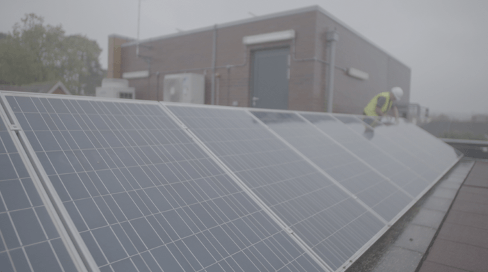
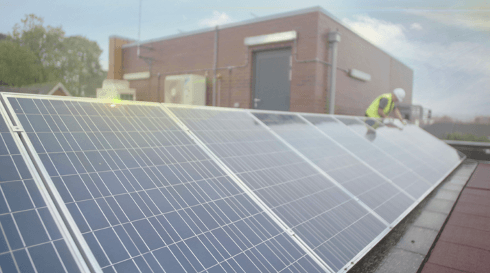
A man is installing solar panels on the roof of a building.

If you’d like us to weave some magic on a cloudy day for you, give us a bell. 
hello@ch-video.com


Share this post:

Recent posts

By Madeline Moores May 12, 2026
We're #23 in the UK Top 50 Big news from us! CH Video have climbed 7 places in the EVCOM (Event & Visual Communication Association) + Moving Image UK Top 50.
By Aidan Patterson May 12, 2026
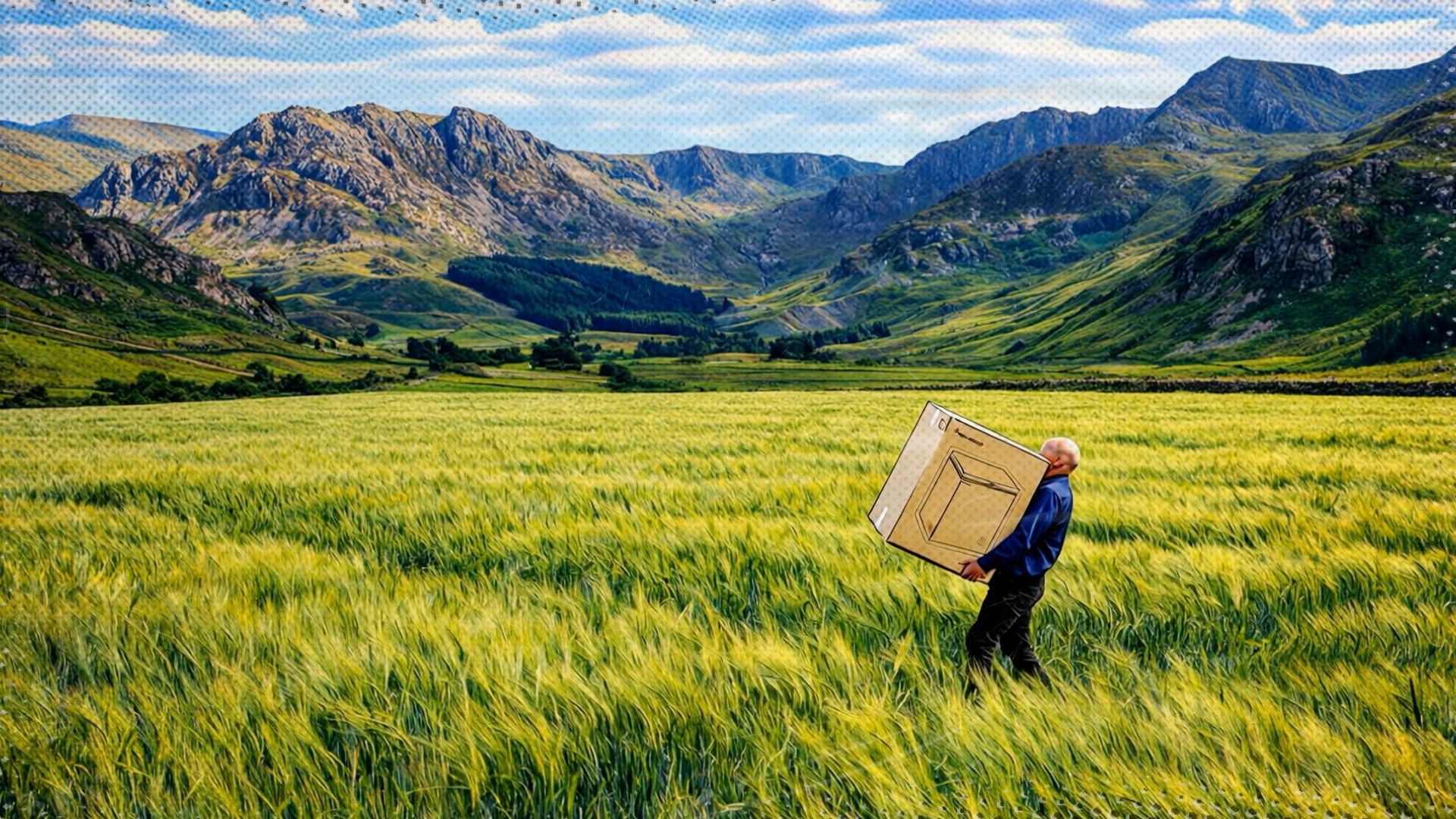
When Euronics came to us with a brief, it was a good one: take a true story about an extraordinary delivery and turn it into something worth watching. The Brief Joe, a Euronics delivery agent, had been tasked with getting a chest freezer to a customer in rural Wales. The road ran out. He carried on anyway, on foot, through fields, across rivers and over hills. The customer was delighted. The story deserved to be told. Euronics asked us to produce a short comedic video retelling that journey. The challenge was finding the right visual language to match the scale of the tale. The Concept We pitched several approaches centred on a comic-book aesthetic, bold, energetic and a little tongue-in-cheek. It felt like the right fit: a story that was equal parts heroic and absurd, told in a style that leaned into both. The concept paired real interview footage of Joe with AI-generated visuals to bring his journey to life. Where a traditional shoot would have required location days across Welsh countryside, generative AI gave us the tools to illustrate the story scene by scene. Creative Wrangling We filmed Joe against a studio blue backdrop, letting him tell the story in his own words. His delivery did a lot of the heavy lifting (puns intended!), dry, matter-of-fact and quietly brilliant. The AI-generated visuals were built around detailed multi-angle reference sheets for Joe, the Euronics van and the chest freezer.
Colorful hummingbird perched on a mossy branch amid soft glowing forest bokeh
By Aidan Patterson May 11, 2026
Generative AI can easily open doors to help create bespoke, crafted content to elevate a video beyond the usual approaches. Recently we tested the latest AI tools to create vast scenic landscapes, humorous underwater worlds and visual effects shots for several campaigns. The tools have advanced a long way over the last few years and the barriers to creating believable or imaginative worlds are fading away all the time. Need an underwater disco full of dancing fish? Got it. A speaking anthropomorphic clown fish? Absolutely. The Key is Consistency It was key to ensure a good amount of consistency across each video. We created multi-angle reference sheets of characters and key objects and use node-based tools to link these, and additional brand references, to ensure the look was maintained throughout. The tools are now in a place where you can also direct and control the results much more closely. Camera moves, lens choices and lighting can be defined and adjusted to get closer to the image or video that you’re looking for and as the creative options expand, options for creativity within each shot expand infinitely.
All posts